Skip to content
Digital Signatures · Signature Studio

T4 Sign

Build a signing template once, send it anytime. Place every field a signer needs on your PDF, assign each party, and get back one signed PDF with the evidence.
Steps
Build · Assign · Send · Sign
Fields
Up to 20 per template
Deploy
Cloud or on-premise
  • 14 field typesSignature to file upload
  • Role or emailPer party
  • Private linksFor outside signers
  • VersionedTemplates
  • Signed PDFWith evidence
In one page

Four steps from a blank PDF to a signed agreement

  • BuildUpload a PDF, place any of 14 field types and save a versioned template.
  • AssignGive each party a department role or an individual email recipient.
  • SendOne click creates a request. Roles need no email; outsiders get a private link.
  • SignEach party completes only their fields; every step is signed into the PDF.
Step 1 · Build

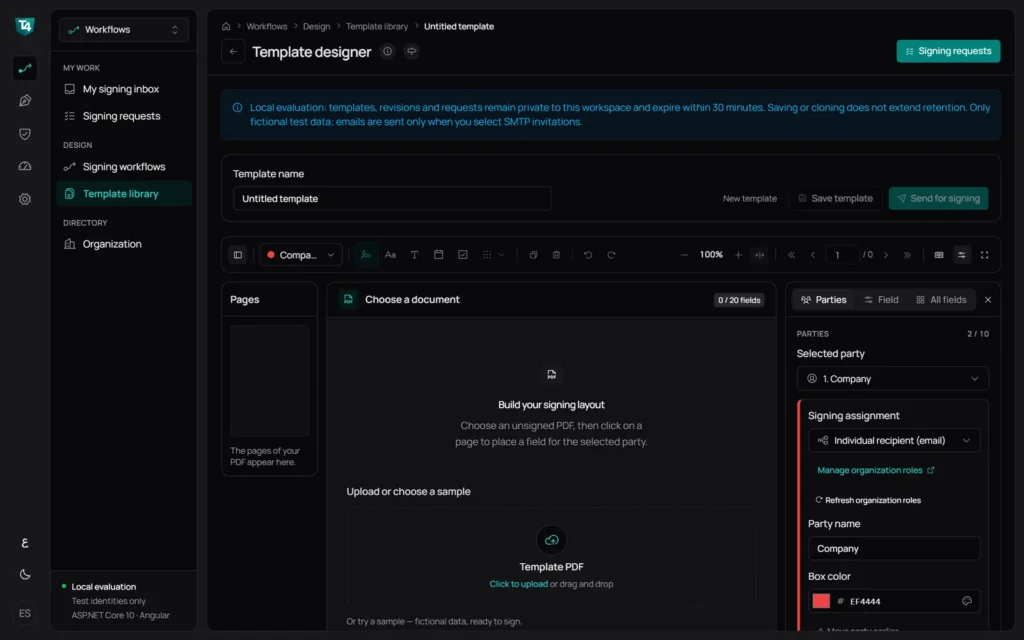
Start from any PDF

Open the template library, choose New template, and upload the document you already use.
  • New templateOpen the template library and choose New template.
  • Upload or pick a sampleAny unsigned PDF; multi-page documents are supported.
  • Name it onceSaved versions keep every change; requests keep their own copy.
Signature Studio template designer with an empty template ready for a PDF
Step 2 · Build

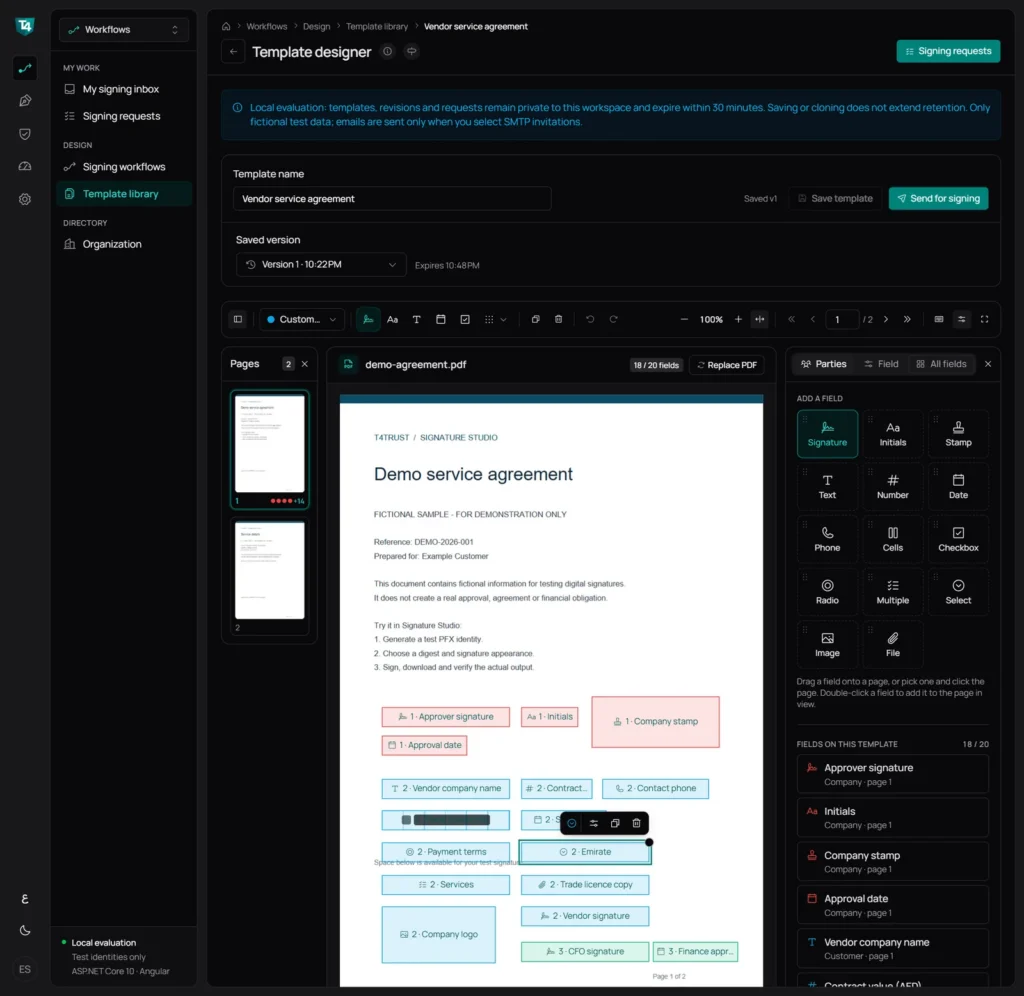
Pick a field, click the page

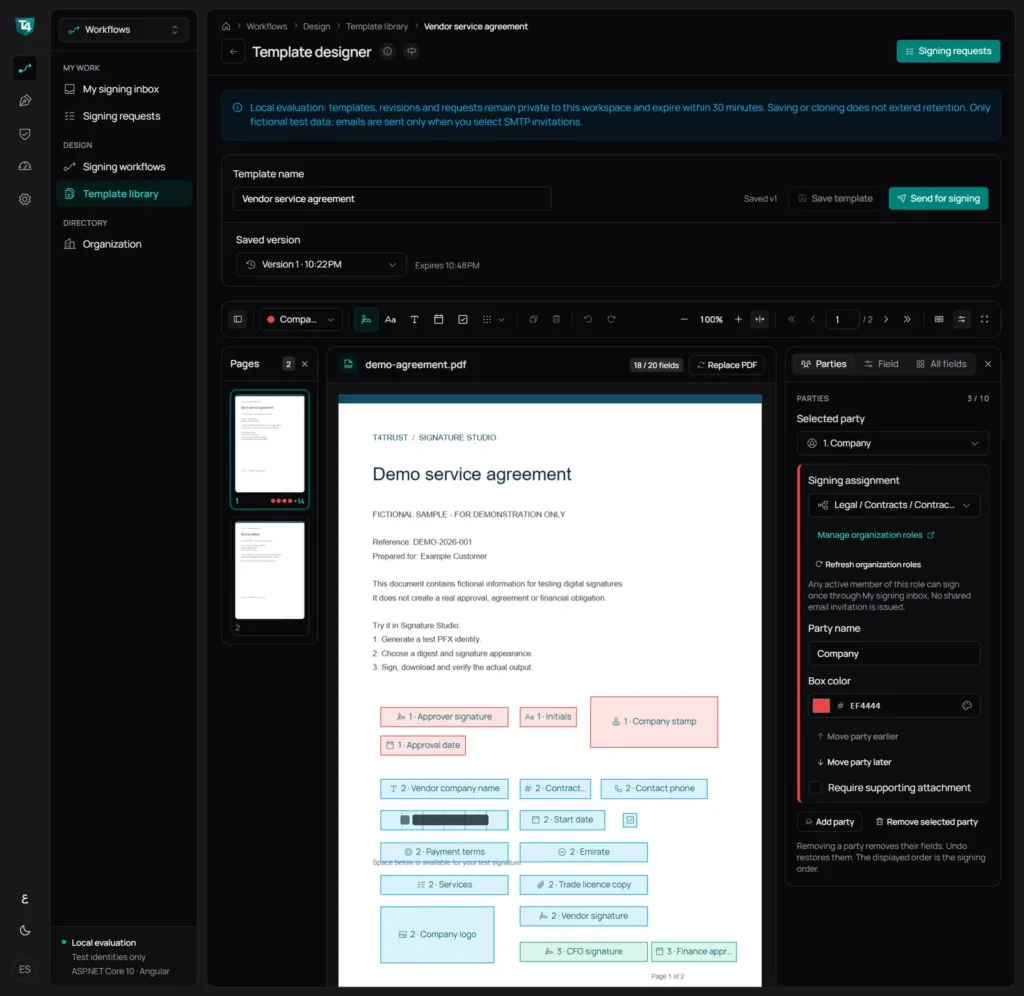
Choose a field type, click where it belongs, and set it exactly: label, owner, options, size and position.
  • 14 field typesSigning marks, typed values, choices and uploads.
  • Colour-coded by partyNew fields go to the party selected in the toolbar.
  • Up to 20 fieldsEvery field is listed with its party and page.
  • Exact settingsRequired, options, and position in PDF points; undo, redo and shortcuts.
Template designer with colour-coded fields placed on a demo service agreement
Field types

Every field type a signer may need

Fourteen field types cover signing marks, typed values, choices and uploads.
  • SignatureTyped, drawn, uploaded or signed on a phone
  • InitialsUp to 10 characters, or drawn
  • StampAdded on submit with name and time
  • TextFree text answer
  • NumberFor example 1250 or -3.75
  • DateDate picker
  • PhoneIncludes the country code
  • CellsOne character per box, 2 to 40 boxes
  • CheckboxTick to confirm
  • RadioChoose one of 2 to 10 options
  • MultipleChoose several options
  • SelectPick from a dropdown
  • ImagePNG or JPEG upload
  • FileTXT or PDF attachment
Step 3 · Assign

A department role or a named recipient

Decide who signs each part. A role lets any active member sign from their inbox; a named recipient signs through a private link.
  • Organisation roleAny active member of the role signs once from My signing inbox. No shared email invitation.
  • Individual recipientName and email entered at send time. They sign through a private link; email is optional.
Party settings showing a department role assignment and an individual recipient
Step 4 · Send

Save a version, then send it

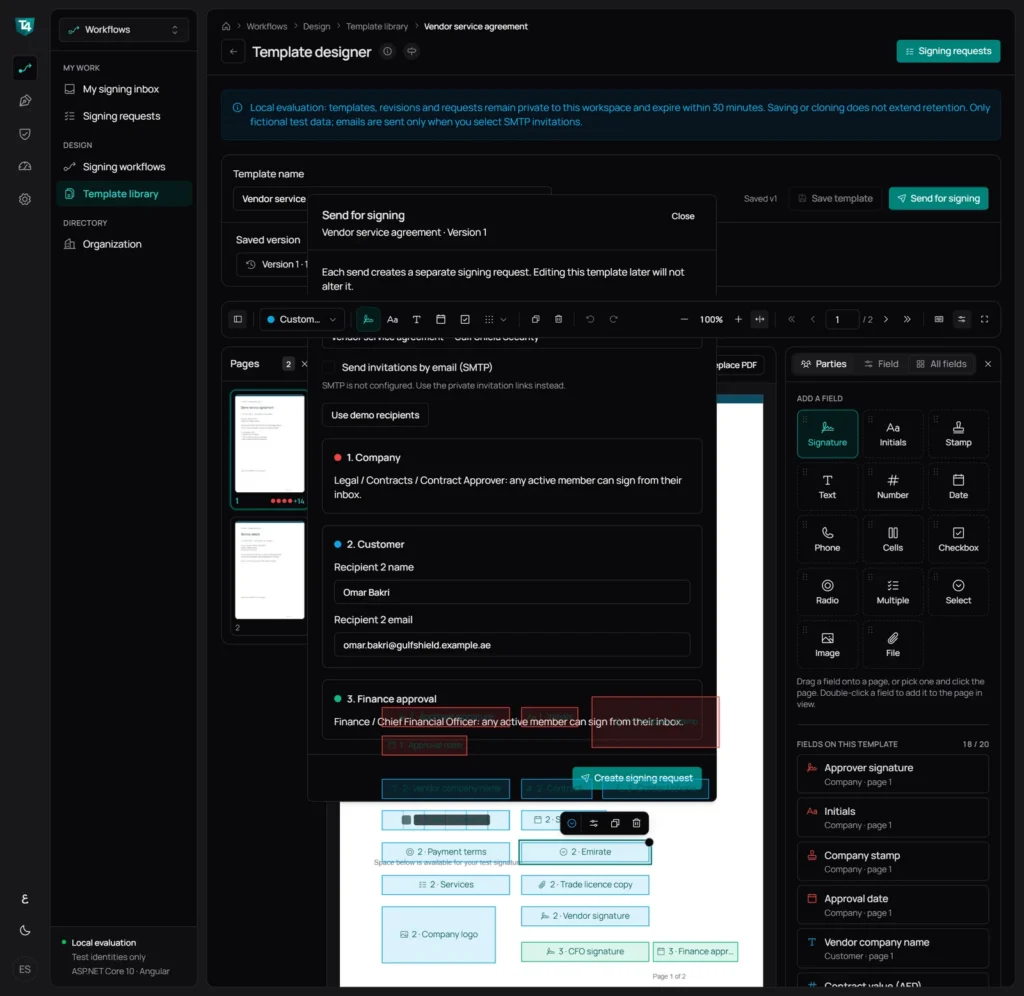
Each send creates its own signing request, so editing the template later never changes a request already out.
  • Version savedLater edits never change requests already sent.
  • Roles need no emailRole members get the task in their inbox.
  • Private linksExternal recipients get their own signing link.
  • Email is optionalSend invitations by SMTP when it is configured.
Send for signing dialog listing a company role, a customer recipient and a finance role
Step 5 · Track

See whose turn it is

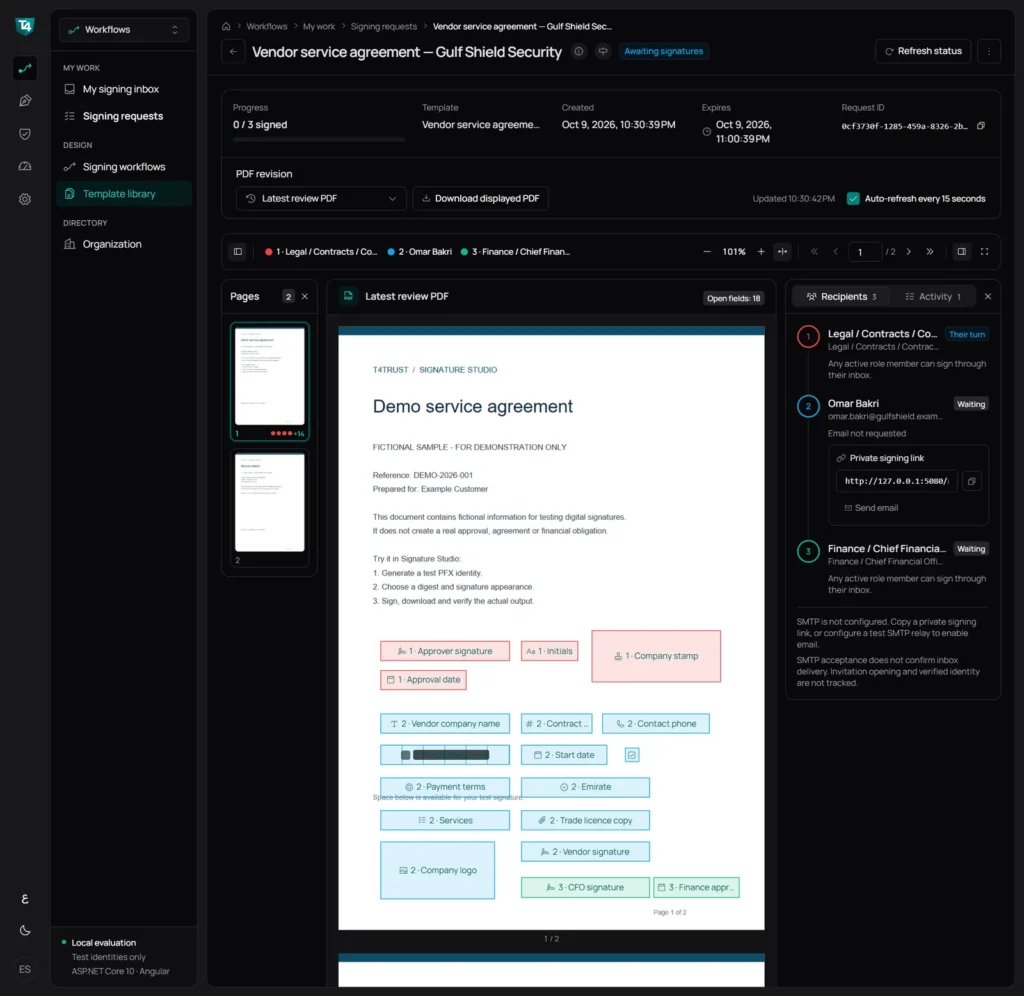
Follow every request from one screen: who has signed, who is next, and when it expires.
  • Progress at a glanceSigned count, template, created and expiry.
  • Each recipientTheir turn, waiting or signed, with role or email.
  • Copy the linkCopy or open the private link for an external party.
Signing request page showing progress, recipients and the review PDF
Step 6 · Sign

Sign from My signing inbox

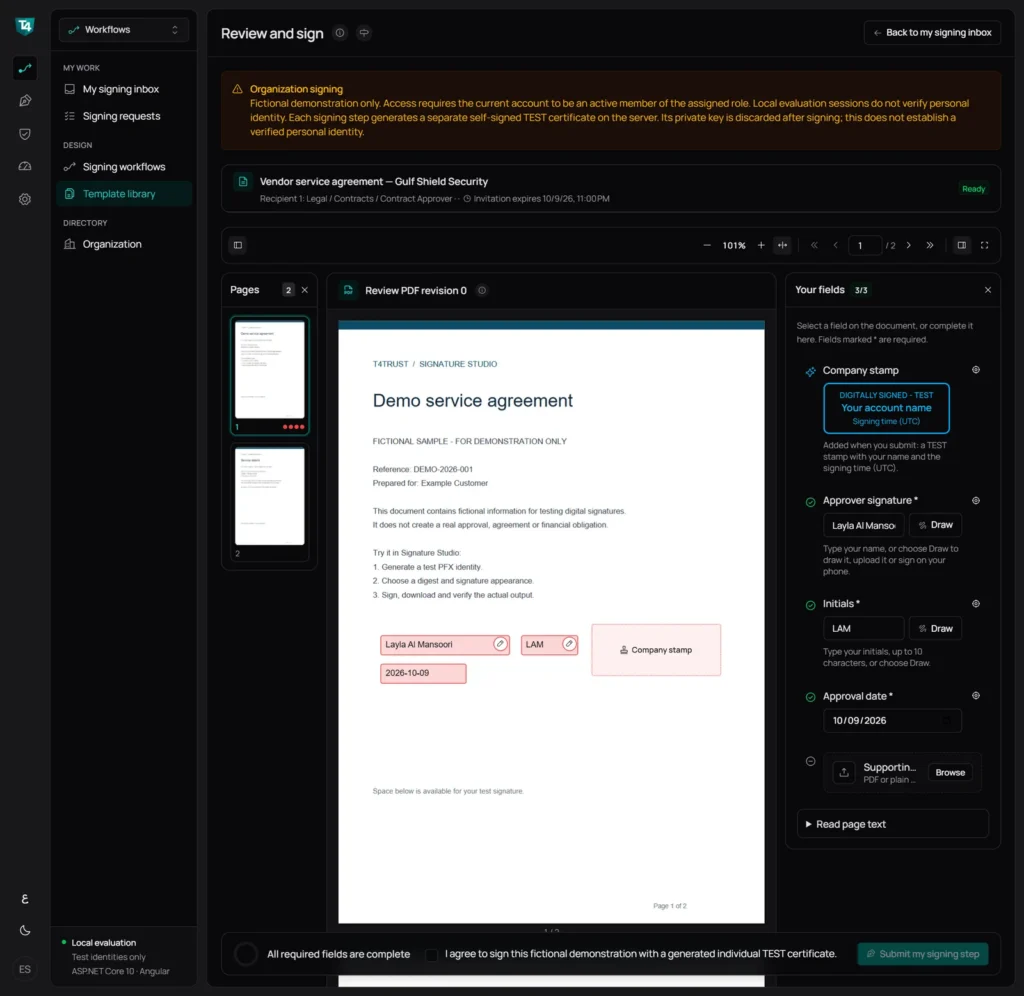
Internal signers find their tasks waiting, see only their own fields, and sign in a few clicks.
  • Task in the inboxReady, waiting and completed tasks per role.
  • Only their fieldsSignature, initials and date for this party.
  • Stamp added on submitWith the signer’s name and signing time.
  • Signed on submitEach step is signed with its own certificate.
Internal signer completing signature, initials and date fields with a company stamp
Step 7 · Sign

A guided form for every field type

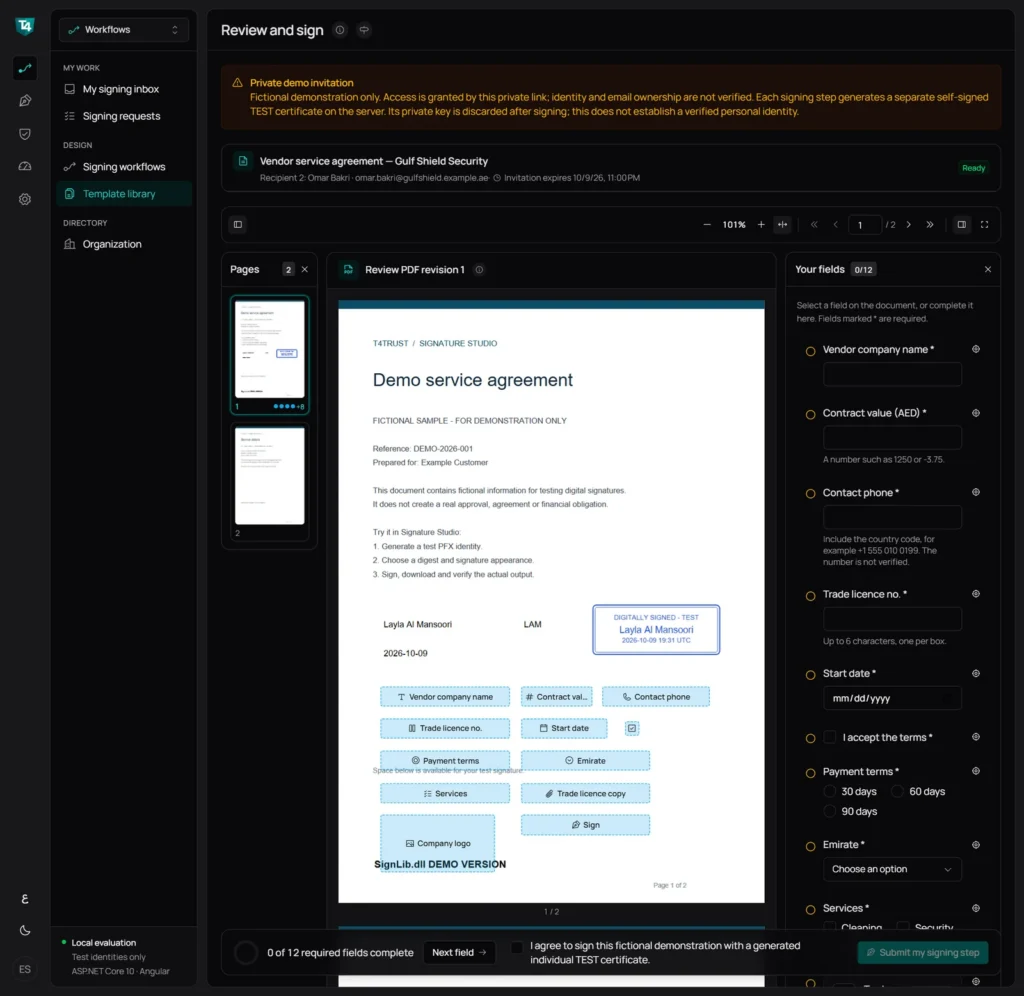
External parties open their private link and are taken through each field in order, from text and dates to choices and uploads.
  • Fields in orderNext field guides the signer to each one.
  • Uploads checkedLogos as PNG or JPEG, documents as TXT or PDF.
External party filling a guided form next to the PDF preview
Result

Every value signed into the final PDF

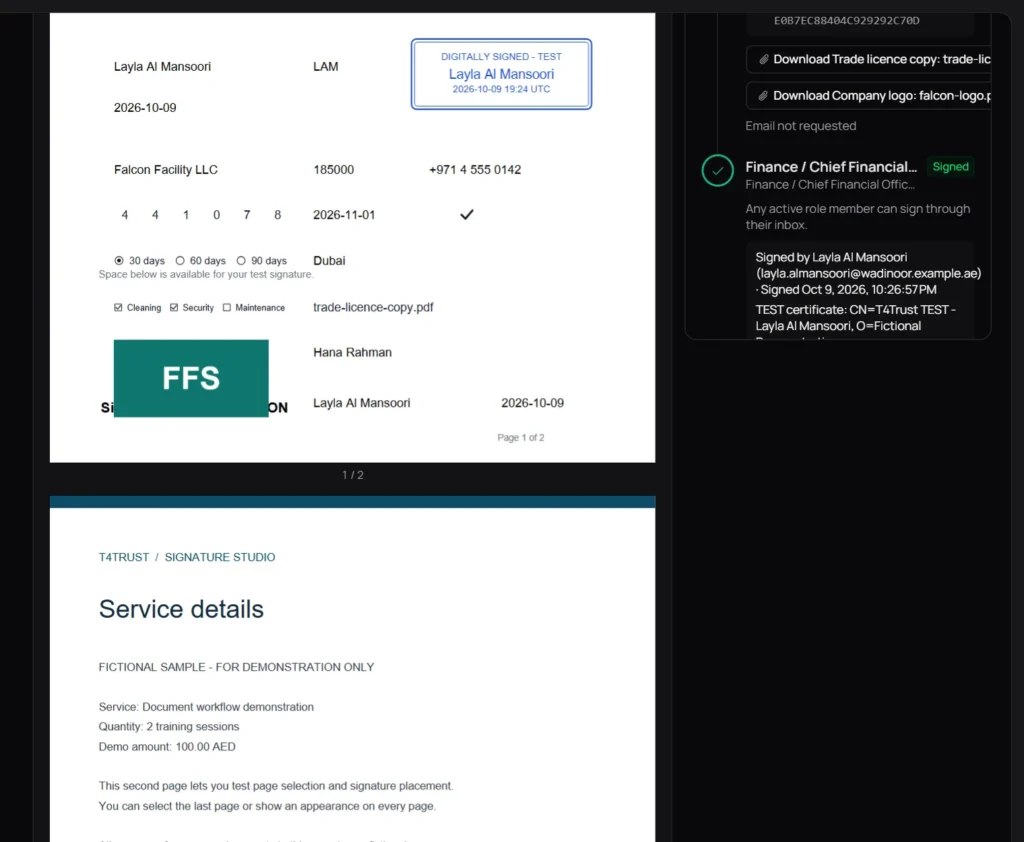
When the last party signs, the request closes with one PDF that carries every value and a verifiable record of each step.
  • Integrity: validEvery step verified on the completed request.
  • Who signed, in which roleSigner, time and certificate per step.
  • DownloadsSigned PDF, workflow evidence and uploaded files.
Completed request with the signed PDF and the per-step signing evidence
Built for trust

Security and compliance in every signature

Audit trail

Audit trail

A full log of every action, from the first send to the final signature.

Data integrity

Data integrity

Each signature is bound to the document, so any later change is detected.

Cloud or on-premise

Cloud or on-premise

Run it on our cloud subscription or inside your own infrastructure.
eIDAS aligned

eIDAS aligned

Designed around the eIDAS requirements for electronic signatures.

Privacy first

Privacy first

We collect only what the signing process needs and never share it for marketing.

White-labelled

White-labelled

Your branding, with API integration and embedding in your own systems.

Next steps

From one template to your everyday approvals

Bring one PDF you sign often, who signs it and in what order, and the fields you collect today on paper.
  1. 01

    Live demo

    Build and send one of your templates together: your PDF and fields, your roles and signing order.

  2. 02

    Pilot

    Set up your main templates and org chart and run real approvals with test identities.

  3. 03

    Roll out

    Move to production with certificates, email, storage and single sign-on agreed with you.

Your first template, built together.

Bring one PDF. Leave with a template your team can send again and again.